> ## Documentation Index
> Fetch the complete documentation index at: https://docs.p2w.lol/llms.txt
> Use this file to discover all available pages before exploring further.
# Antialts
## Why use an antialts system?
It's important to have an antialts system in place to prevent banned users from rejoining your server under new accounts. This is a security measure which lets your server stay protected from users attempting to evade bans or punishments.
## How does antialts work?
Antialts fingerprints every member that joins your server and compares them against a cache of recently banned users. It uses a flag-based system to determine how suspicious a new join is, then takes action automatically based on your configuration.
## Flag System
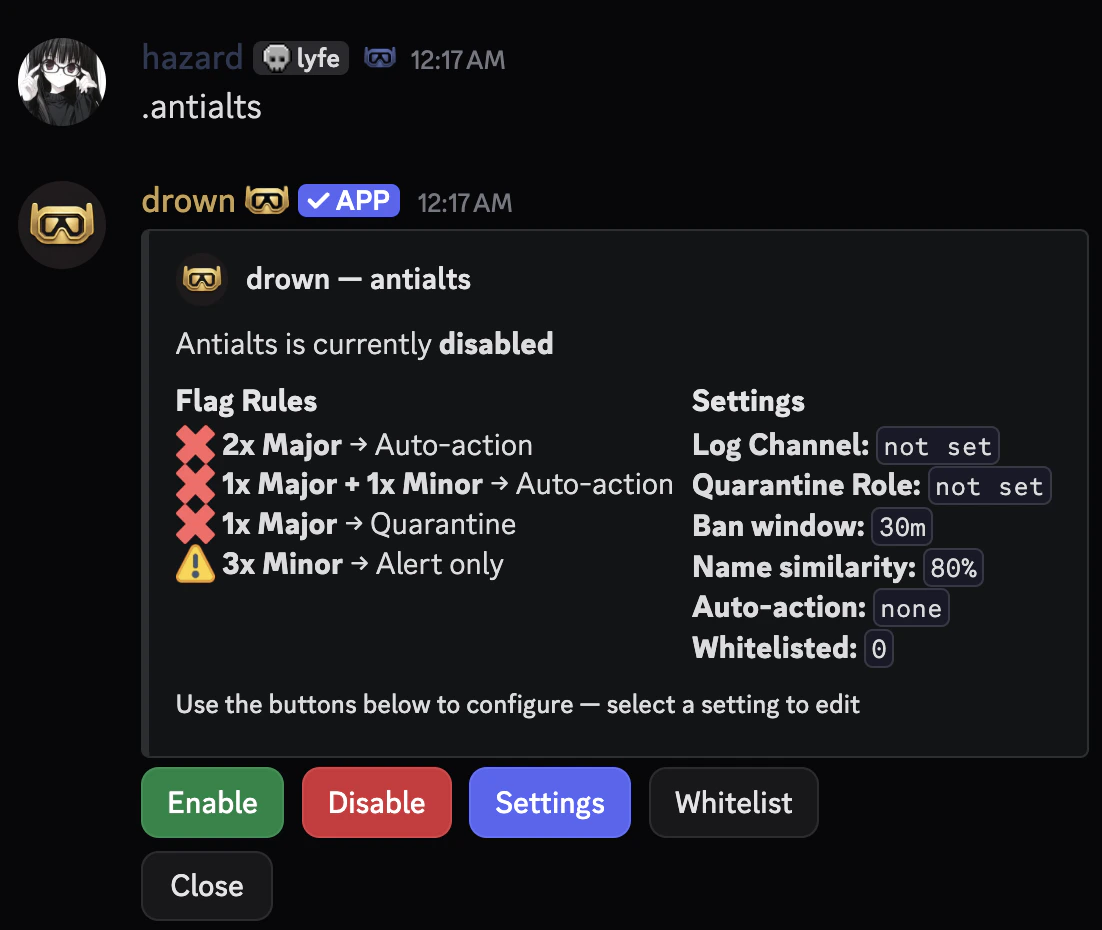
Flags are split into two categories — **Minor** and **Major**. The combination of flags determines what action is taken.
| Flags | Action |
| ------------------- | -------------- |
| 3x Minor | Mod alert only |
| 1x Major | Quarantine |
| 1x Major + 1x Minor | Auto-action |
| 2x Major | Auto-action |
#### Minor Flags
* **Account Age** — Account was created less than 7 days ago
* **Similar Username** — Username closely matches a recently banned user
* **Same Invite** — Used the same invite link as a previously banned user
#### Major Flags
* **Join After Ban** — Joined within the ban watch window after a member was banned
* **Avatar Match** — Avatar perceptually matches a recently banned user
## Configuring antialts
### Opening the configuration panel
You can open the interactive antialts configuration panel with the following command.
```typescript Syntax theme={null}
.antialts
```
 ### Setting a log channel
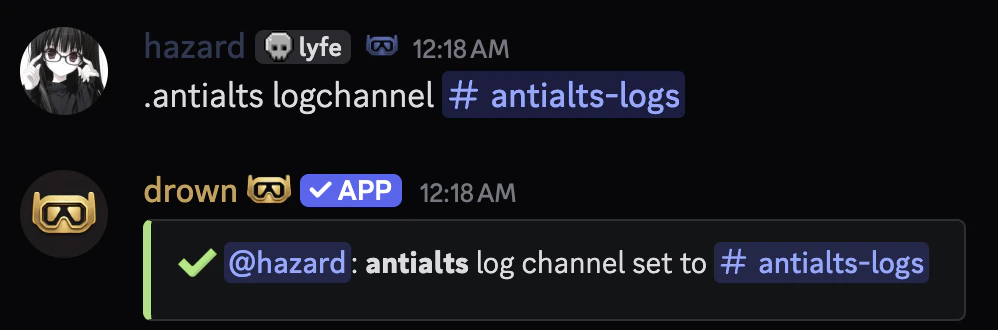
Set the channel where dossier embeds and mod alerts are sent when a suspected alt joins.
```typescript Syntax theme={null}
.antialts logchannel (channel)
```
```typescript Example theme={null}
.antialts logchannel #mod-logs
```
### Setting a log channel
Set the channel where dossier embeds and mod alerts are sent when a suspected alt joins.
```typescript Syntax theme={null}
.antialts logchannel (channel)
```
```typescript Example theme={null}
.antialts logchannel #mod-logs
```
 ### Setting a quarantine role
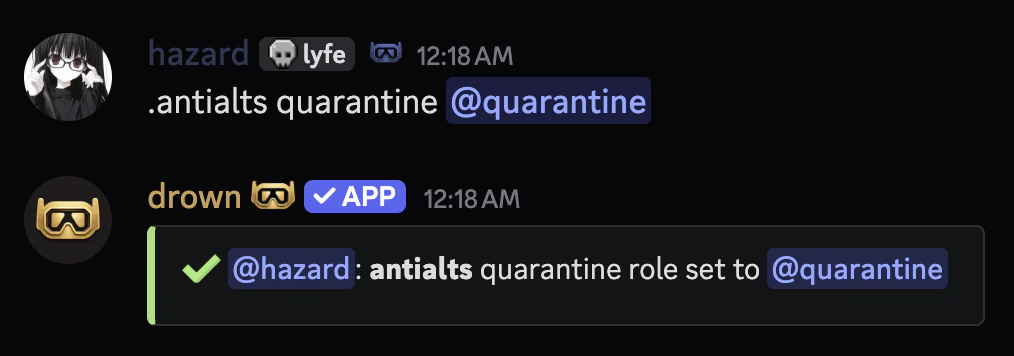
Set the role applied to suspected alts pending mod review.
Make sure the quarantine role restricts access to all channels so the suspected alt cannot interact with your server.
```typescript Syntax theme={null}
.antialts quarantine (role)
```
```typescript Example theme={null}
.antialts quarantine @Quarantine
```
### Setting a quarantine role
Set the role applied to suspected alts pending mod review.
Make sure the quarantine role restricts access to all channels so the suspected alt cannot interact with your server.
```typescript Syntax theme={null}
.antialts quarantine (role)
```
```typescript Example theme={null}
.antialts quarantine @Quarantine
```
 ### Setting the ban watch window
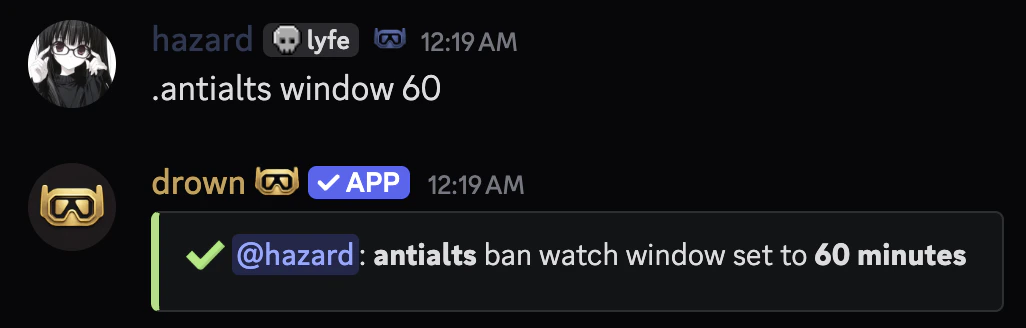
Set how long after a ban antialts should watch for potential alts joining. Defaults to `30` minutes.
```typescript Syntax theme={null}
.antialts window (minutes)
```
```typescript Example theme={null}
.antialts window 60
```
### Setting the ban watch window
Set how long after a ban antialts should watch for potential alts joining. Defaults to `30` minutes.
```typescript Syntax theme={null}
.antialts window (minutes)
```
```typescript Example theme={null}
.antialts window 60
```
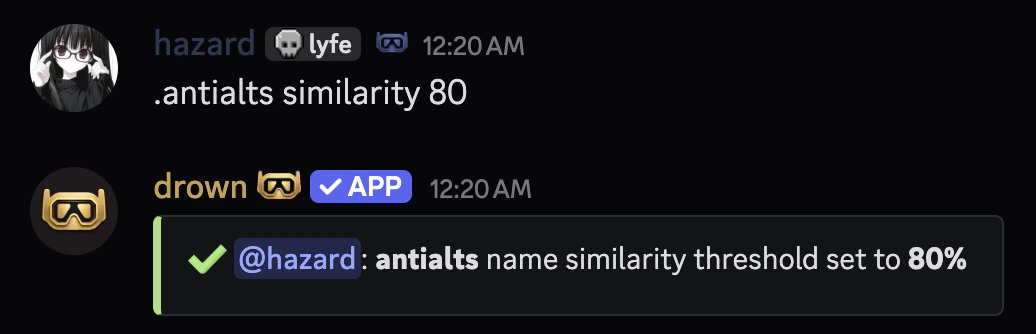
 ### Setting the name similarity threshold
Set how similar a username must be to a banned user's to trigger a Minor flag. Defaults to `80%`.
It's recommended to keep this between `75` and `90`. Lower values may produce false positives.
```typescript Syntax theme={null}
.antialts similarity (value)
```
```typescript Example theme={null}
.antialts similarity 80
```
### Setting the name similarity threshold
Set how similar a username must be to a banned user's to trigger a Minor flag. Defaults to `80%`.
It's recommended to keep this between `75` and `90`. Lower values may produce false positives.
```typescript Syntax theme={null}
.antialts similarity (value)
```
```typescript Example theme={null}
.antialts similarity 80
```
 ### Setting the auto-action
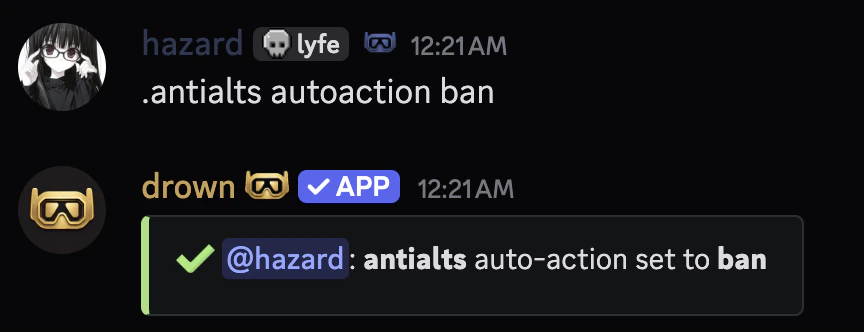
Set what action is automatically taken when Major flags fire.
Available punishments can be found in the **punishments** section.
```typescript Syntax theme={null}
.antialts autoaction (quarantine | kick | ban | none)
```
```typescript Example theme={null}
.antialts autoaction ban
```
### Setting the auto-action
Set what action is automatically taken when Major flags fire.
Available punishments can be found in the **punishments** section.
```typescript Syntax theme={null}
.antialts autoaction (quarantine | kick | ban | none)
```
```typescript Example theme={null}
.antialts autoaction ban
```
 ### Exempting users from antialts
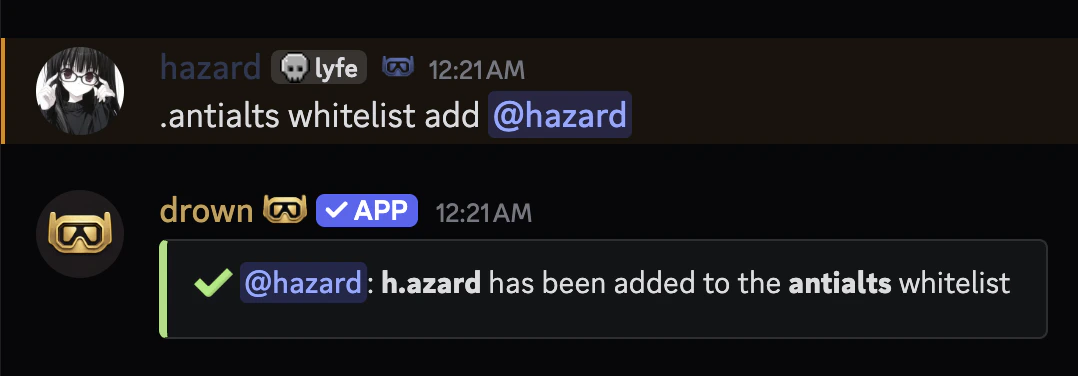
You can exempt users from antialts checks with the `antialts whitelist` command.
Whitelisted users will bypass all antialts detection entirely.
```typescript Syntax theme={null}
.antialts whitelist add (user)
.antialts whitelist remove (user)
.antialts whitelist list
```
```typescript Example theme={null}
.antialts whitelist add @h.azard
```
### Exempting users from antialts
You can exempt users from antialts checks with the `antialts whitelist` command.
Whitelisted users will bypass all antialts detection entirely.
```typescript Syntax theme={null}
.antialts whitelist add (user)
.antialts whitelist remove (user)
.antialts whitelist list
```
```typescript Example theme={null}
.antialts whitelist add @h.azard
```
 ### Enabling and disabling antialts
You can enable or disable the antialts system using `antialts enable` or `antialts disable`.
### Manually checking a member
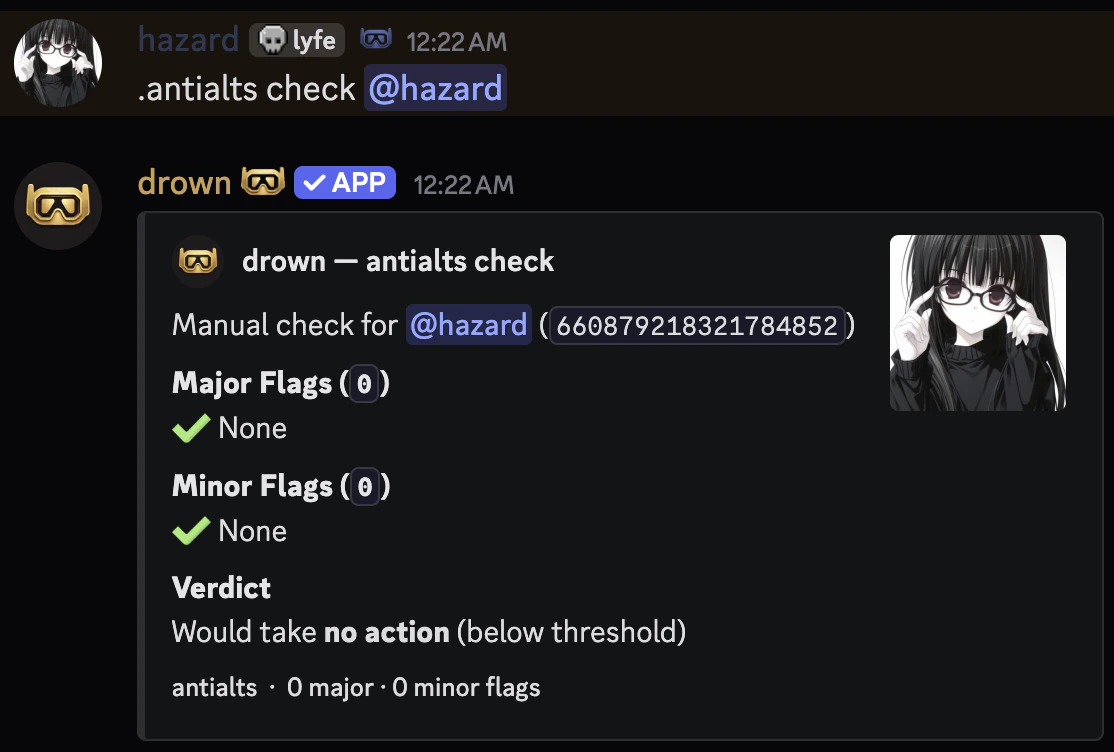
You can manually run the alt check on any current member to see what flags would fire.
```typescript Syntax theme={null}
.antialts check (member)
```
```typescript Example theme={null}
.antialts check @h.azard
```
### Enabling and disabling antialts
You can enable or disable the antialts system using `antialts enable` or `antialts disable`.
### Manually checking a member
You can manually run the alt check on any current member to see what flags would fire.
```typescript Syntax theme={null}
.antialts check (member)
```
```typescript Example theme={null}
.antialts check @h.azard
```
 ### Viewing the ban cache
You can view the current in-memory ban cache to see which recent bans antialts is actively watching.
```typescript Syntax theme={null}
.antialts cache
```
### Viewing the ban cache
You can view the current in-memory ban cache to see which recent bans antialts is actively watching.
```typescript Syntax theme={null}
.antialts cache
```