> ## Documentation Index
> Fetch the complete documentation index at: https://docs.p2w.lol/llms.txt
> Use this file to discover all available pages before exploring further.
# Antinuke
> Impose restrictions on moderators to prevent destructive behavior.
## Why use an antinuke system?
It's important to have an antinuke system in place to prevent moderators from abusing their permissions. This is a security measure which lets your server stay safe from any harmful actions.
## How does the antinuke work?
The antinuke will set a limit on the number of actions a moderator can perform in a certain time frame. If the limit is exceeded, the moderator will be punished and a message will be sent to the owner.
## Configuring the antinuke
Discord recently implemented a new **mass ban** feature which can quickly ban **100+ members**. It's **HIGHLY** recommended to utilize fake permissions to prevent moderators from using feature.
### Allowing users to configure the antinuke
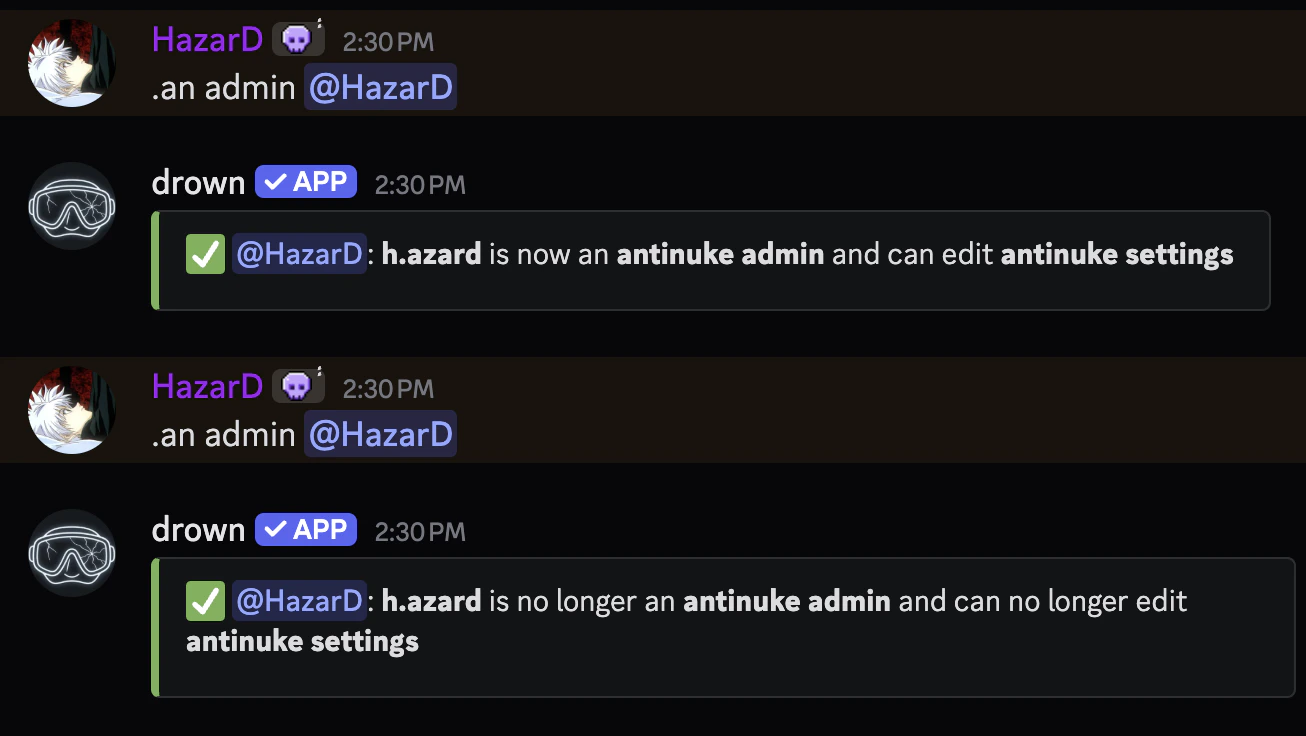
Initially, only the **server owner** can configure the antinuke. However, you can allow other users to configure the antinuke with the `antinuke admin` command.
This is a dangerous command and will allow the user to entirely alter the antinuke configuration.
```typescript Syntax theme={null}
.antinuke admin (user)
```
```typescript Example theme={null}
.antinuke admin @h.azard
```
 ### Exempting users from antinuke
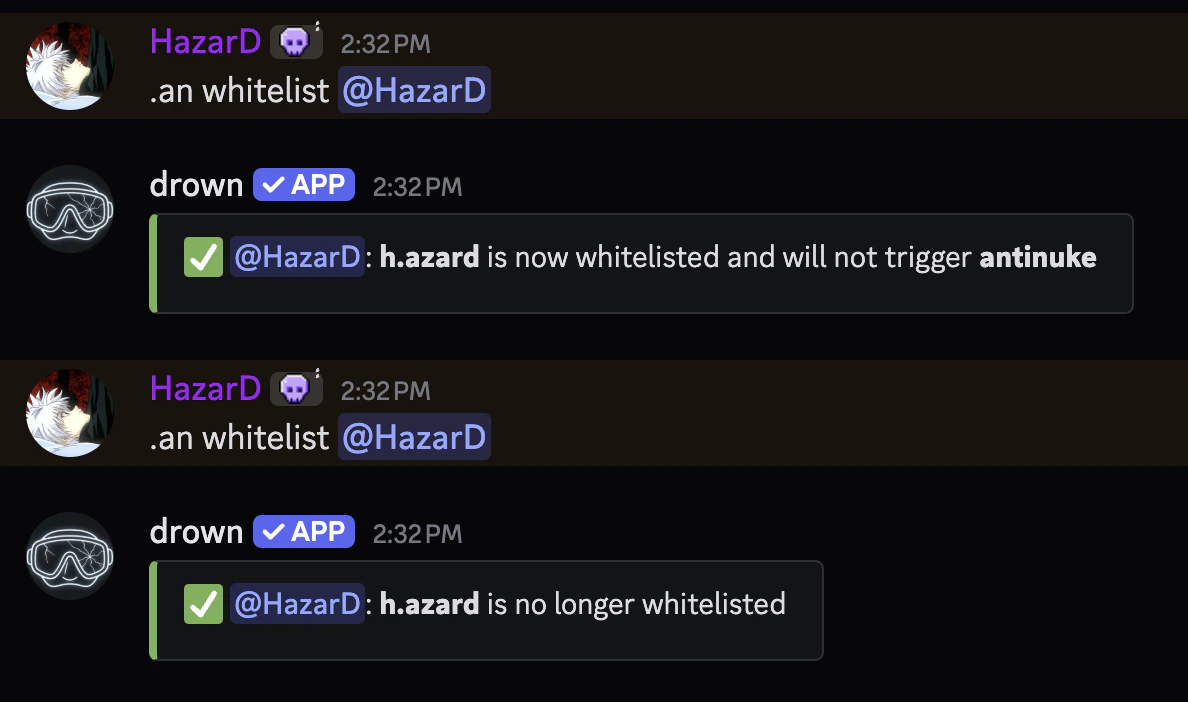
You can exempt users from the antinuke with the `antinuke whitelist` command.
This is a dangerous command and will allow the user to bypass the antinuke entirely.
```typescript Syntax theme={null}
.antinuke whitelist (user)
```
```typescript Example theme={null}
.antinuke whitelist @h.azard
```
### Exempting users from antinuke
You can exempt users from the antinuke with the `antinuke whitelist` command.
This is a dangerous command and will allow the user to bypass the antinuke entirely.
```typescript Syntax theme={null}
.antinuke whitelist (user)
```
```typescript Example theme={null}
.antinuke whitelist @h.azard
```
 ### Enabling an antinuke module
#### Available flags
The following flags can be used to define the antinuke module
The threshold is the number of actions a moderator can perform before being punished.
It's recommended to keep the threshold between `1` and `6` to stay safe.
```typescript Syntax theme={null}
--threshold (number)
```
```typescript Example theme={null}
--threshold 3
```
The punishment which will be applied to the moderator.
Available punishments can be found in the [**punishments**](https://docs.bleed.bot/resources/syntax#flag-punishments) section.
```typescript Syntax theme={null}
--do (punishment)
```
```typescript Example theme={null}
--do ban
```
Whether drown commands should be counted towards the threshold. (e.g. `,ban`)
```typescript Syntax theme={null}
--command (on | off)
```
```typescript Example theme={null}
--command on
```
#### Available Modules
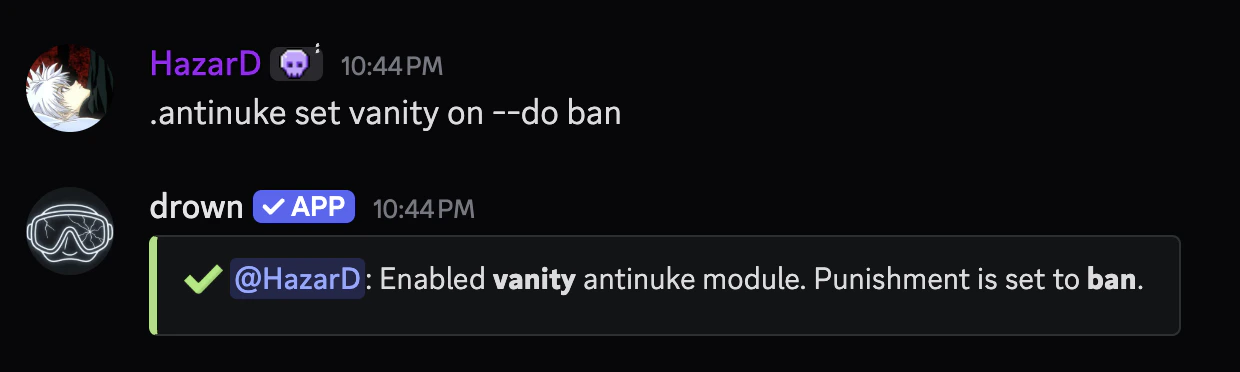
You can prevent members from changing the vanity URL with the following command
drown can not change the vanity URL back to the original due to discord limitations
```typescript Syntax theme={null}
.antinuke set vanity (on or off) [--do (punishment)]
```
```typescript Example theme={null}
.antinuke set vanity on --do ban
```
### Enabling an antinuke module
#### Available flags
The following flags can be used to define the antinuke module
The threshold is the number of actions a moderator can perform before being punished.
It's recommended to keep the threshold between `1` and `6` to stay safe.
```typescript Syntax theme={null}
--threshold (number)
```
```typescript Example theme={null}
--threshold 3
```
The punishment which will be applied to the moderator.
Available punishments can be found in the [**punishments**](https://docs.bleed.bot/resources/syntax#flag-punishments) section.
```typescript Syntax theme={null}
--do (punishment)
```
```typescript Example theme={null}
--do ban
```
Whether drown commands should be counted towards the threshold. (e.g. `,ban`)
```typescript Syntax theme={null}
--command (on | off)
```
```typescript Example theme={null}
--command on
```
#### Available Modules
You can prevent members from changing the vanity URL with the following command
drown can not change the vanity URL back to the original due to discord limitations
```typescript Syntax theme={null}
.antinuke set vanity (on or off) [--do (punishment)]
```
```typescript Example theme={null}
.antinuke set vanity on --do ban
```
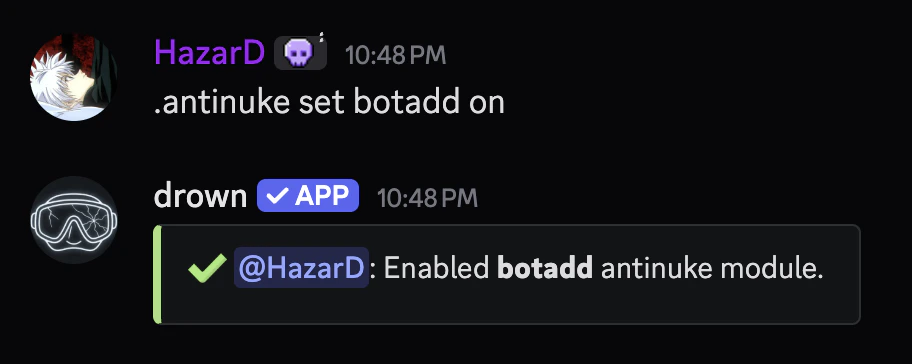
 You can prevent bots from being mass added with the following command
You'll need to use `antinuke whitelist (bot ID)` to invite bots.
```typescript Syntax theme={null}
.antinuke set botadd (on or off)
```
```typescript Example theme={null}
.antinuke set botadd on
```
You can prevent bots from being mass added with the following command
You'll need to use `antinuke whitelist (bot ID)` to invite bots.
```typescript Syntax theme={null}
.antinuke set botadd (on or off)
```
```typescript Example theme={null}
.antinuke set botadd on
```
 You can prevent members from being mass banned with the following command
It's recommended to include the `--command on` flag.
```typescript Syntax theme={null}
.antinuke set ban (on or off) [--threshold (number)] [--do (punishment)] [--command (on | off)]
```
```typescript Example theme={null}
.antinuke set ban on --threshold 3 --do ban --command on
```
You can prevent members from being mass banned with the following command
It's recommended to include the `--command on` flag.
```typescript Syntax theme={null}
.antinuke set ban (on or off) [--threshold (number)] [--do (punishment)] [--command (on | off)]
```
```typescript Example theme={null}
.antinuke set ban on --threshold 3 --do ban --command on
```
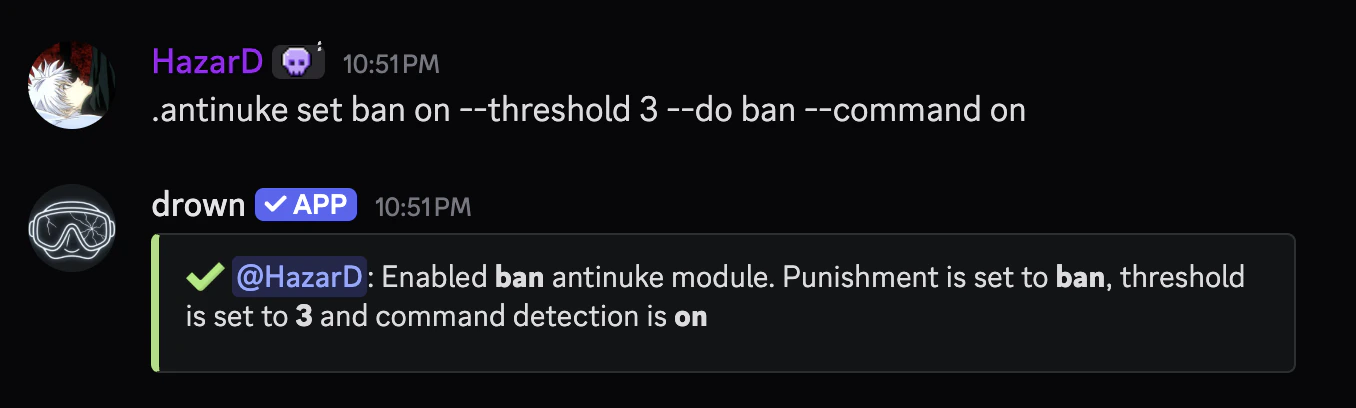 You can prevent members from being mass kicked with the following command
It's recommended to include the `--command on` flag.
```typescript Syntax theme={null}
.antinuke set kick (on or off) [--threshold (number)] [--do (punishment)] [--command (on | off)]
```
```typescript Example theme={null}
.antinuke set kick on --threshold 3 --do ban --command on
```
You can prevent members from being mass kicked with the following command
It's recommended to include the `--command on` flag.
```typescript Syntax theme={null}
.antinuke set kick (on or off) [--threshold (number)] [--do (punishment)] [--command (on | off)]
```
```typescript Example theme={null}
.antinuke set kick on --threshold 3 --do ban --command on
```
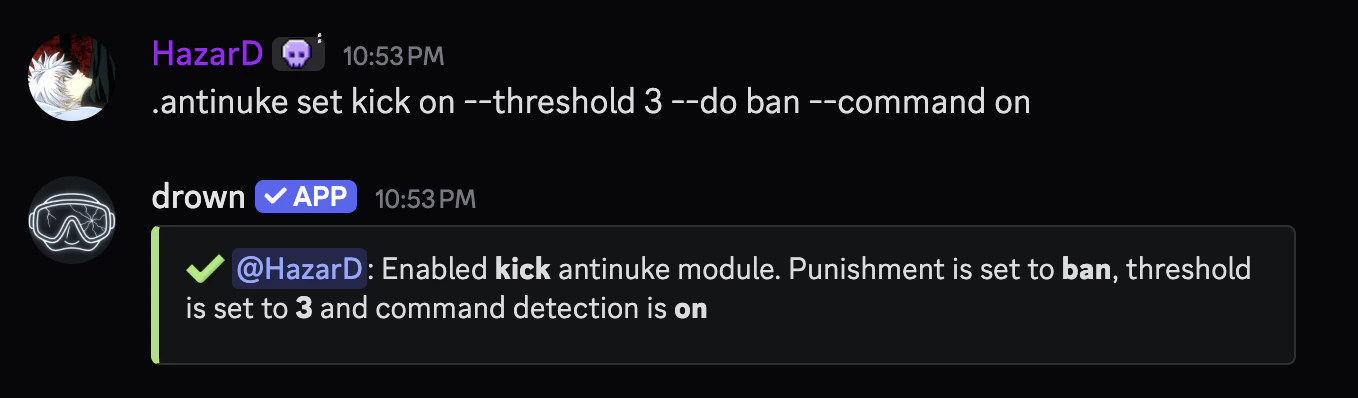 You can prevent roles from being mass deleted with the following command
It's recommended to include the `--command on` flag.
```typescript Syntax theme={null}
.antinuke set role (on or off) [--threshold (number)] [--do (punishment)] [--command (on | off)]
```
```typescript Example theme={null}
.antinuke set role on --threshold 3 --do ban --command on
```
You can prevent roles from being mass deleted with the following command
It's recommended to include the `--command on` flag.
```typescript Syntax theme={null}
.antinuke set role (on or off) [--threshold (number)] [--do (punishment)] [--command (on | off)]
```
```typescript Example theme={null}
.antinuke set role on --threshold 3 --do ban --command on
```
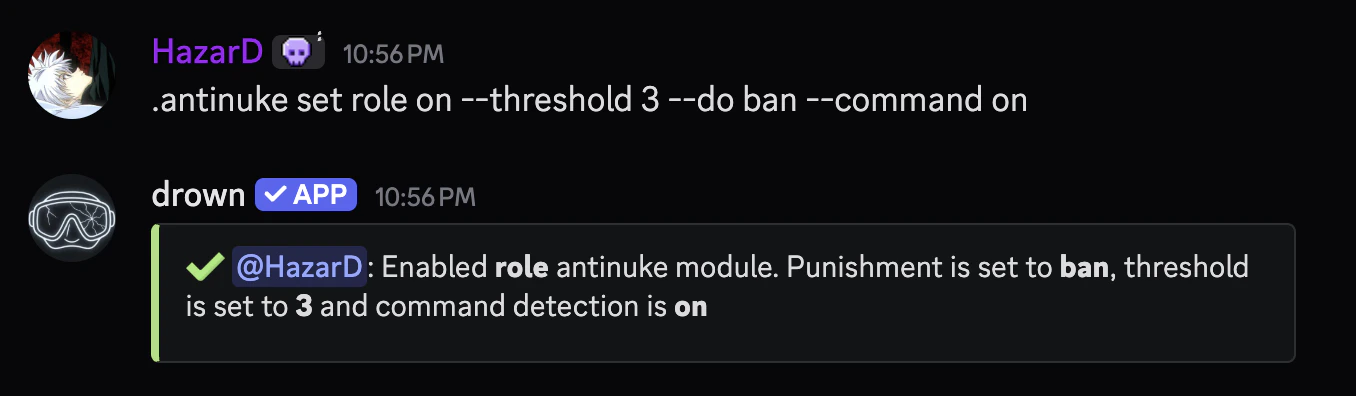 You can prevent channels from being mass created or deleted with the following command
```typescript Syntax theme={null}
.antinuke set channel (on or off) [--threshold (number)] [--do (punishment)]
```
```typescript Example theme={null}
.antinuke set channel on --threshold 3 --do ban
```
You can prevent channels from being mass created or deleted with the following command
```typescript Syntax theme={null}
.antinuke set channel (on or off) [--threshold (number)] [--do (punishment)]
```
```typescript Example theme={null}
.antinuke set channel on --threshold 3 --do ban
```
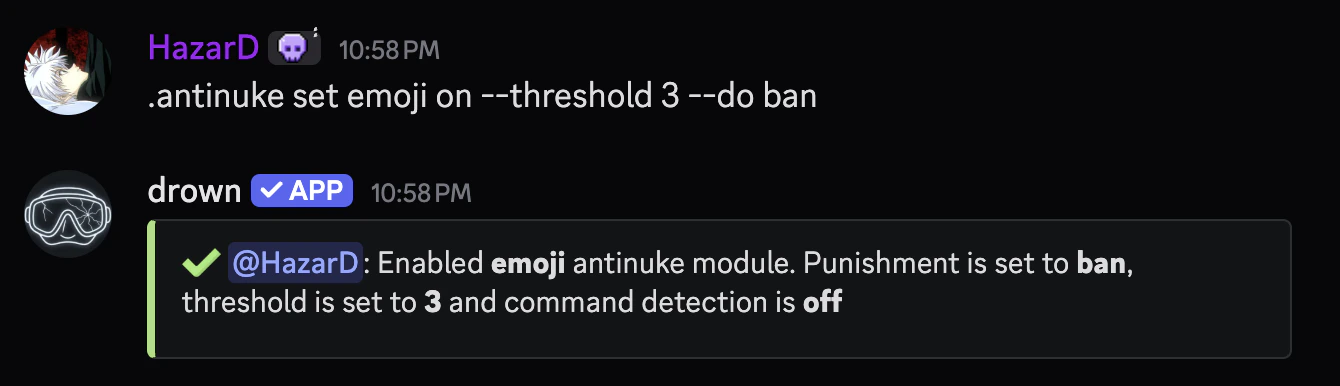
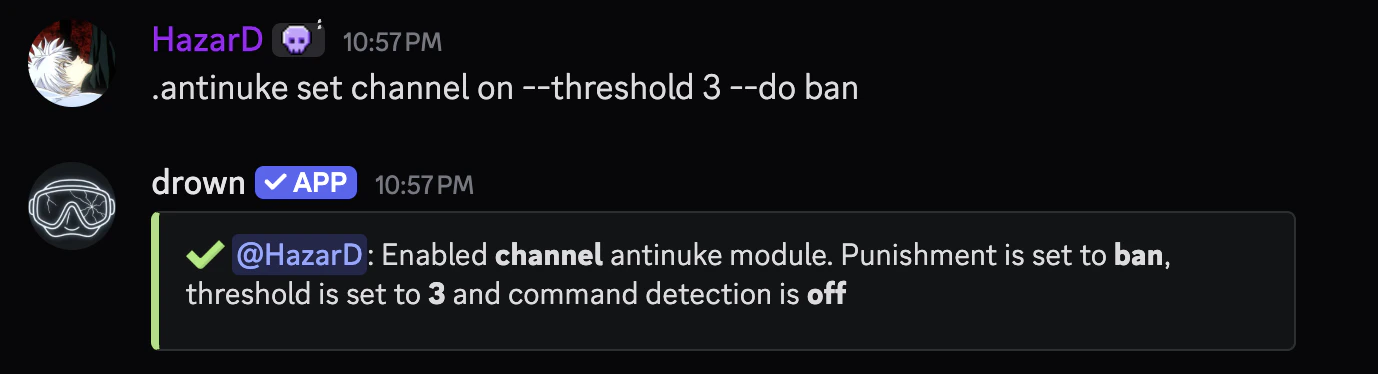 You can prevent emojis from being mass deleted with the following command
```typescript Syntax theme={null}
.antinuke set emoji (on or off) [--threshold (number)] [--do (punishment)]
```
```typescript Example theme={null}
.antinuke set emoji on --threshold 3 --do ban
```
You can prevent emojis from being mass deleted with the following command
```typescript Syntax theme={null}
.antinuke set emoji (on or off) [--threshold (number)] [--do (punishment)]
```
```typescript Example theme={null}
.antinuke set emoji on --threshold 3 --do ban
```
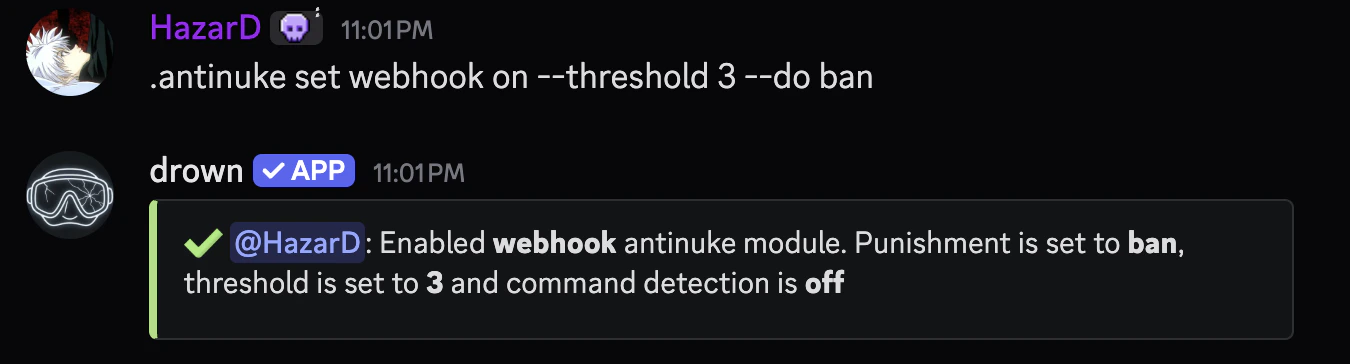
 You can prevent webhooks from being mass created with the following command
```typescript Syntax theme={null}
.antinuke set webhook (on or off) [--threshold (number)] [--do (punishment)]
```
```typescript Example theme={null}
.antinuke set webhook on --threshold 3 --do ban
```
You can prevent webhooks from being mass created with the following command
```typescript Syntax theme={null}
.antinuke set webhook (on or off) [--threshold (number)] [--do (punishment)]
```
```typescript Example theme={null}
.antinuke set webhook on --threshold 3 --do ban
```
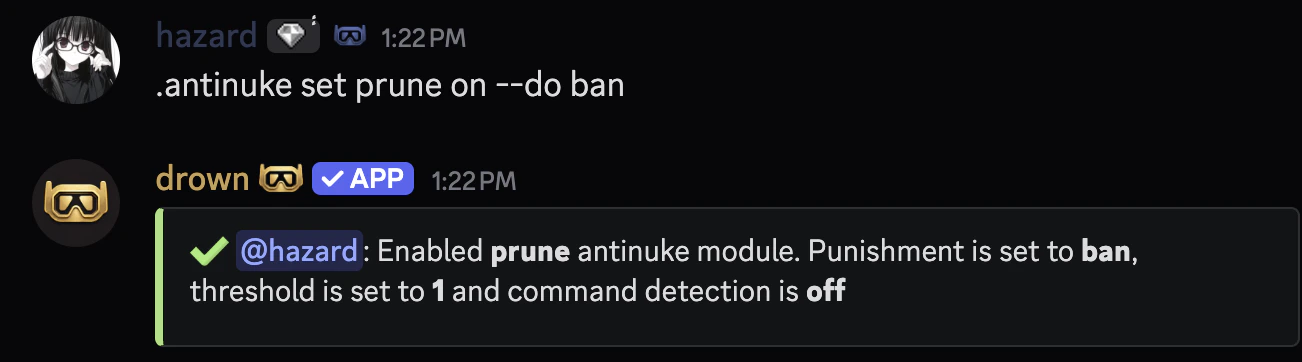
 You can prevent members from being mass pruned with the following command
```typescript Syntax theme={null}
.antinuke set prune (on or off) [--do (punishment)]
```
```typescript Example theme={null}
.antinuke set prune on --do ban
```
You can prevent members from being mass pruned with the following command
```typescript Syntax theme={null}
.antinuke set prune (on or off) [--do (punishment)]
```
```typescript Example theme={null}
.antinuke set prune on --do ban
```
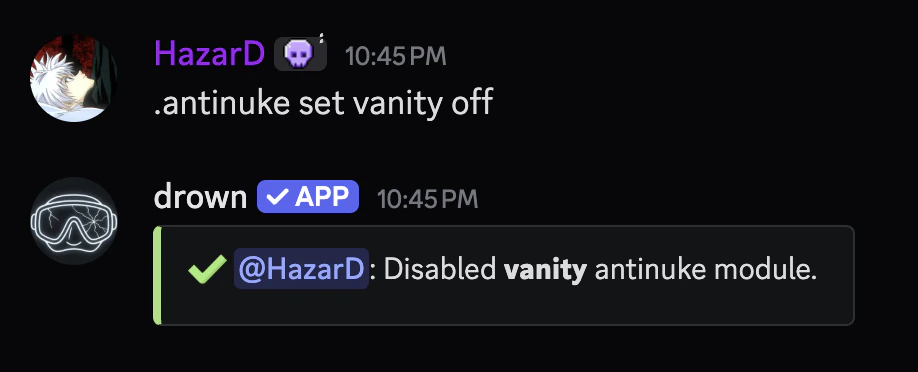
 ### Disabling an antinuke module
You can disable an antinuke module with the same command you used to enable it, but with the status set to `off`.
### Disabling an antinuke module
You can disable an antinuke module with the same command you used to enable it, but with the status set to `off`.
 ### Viewing the antinuke configuration
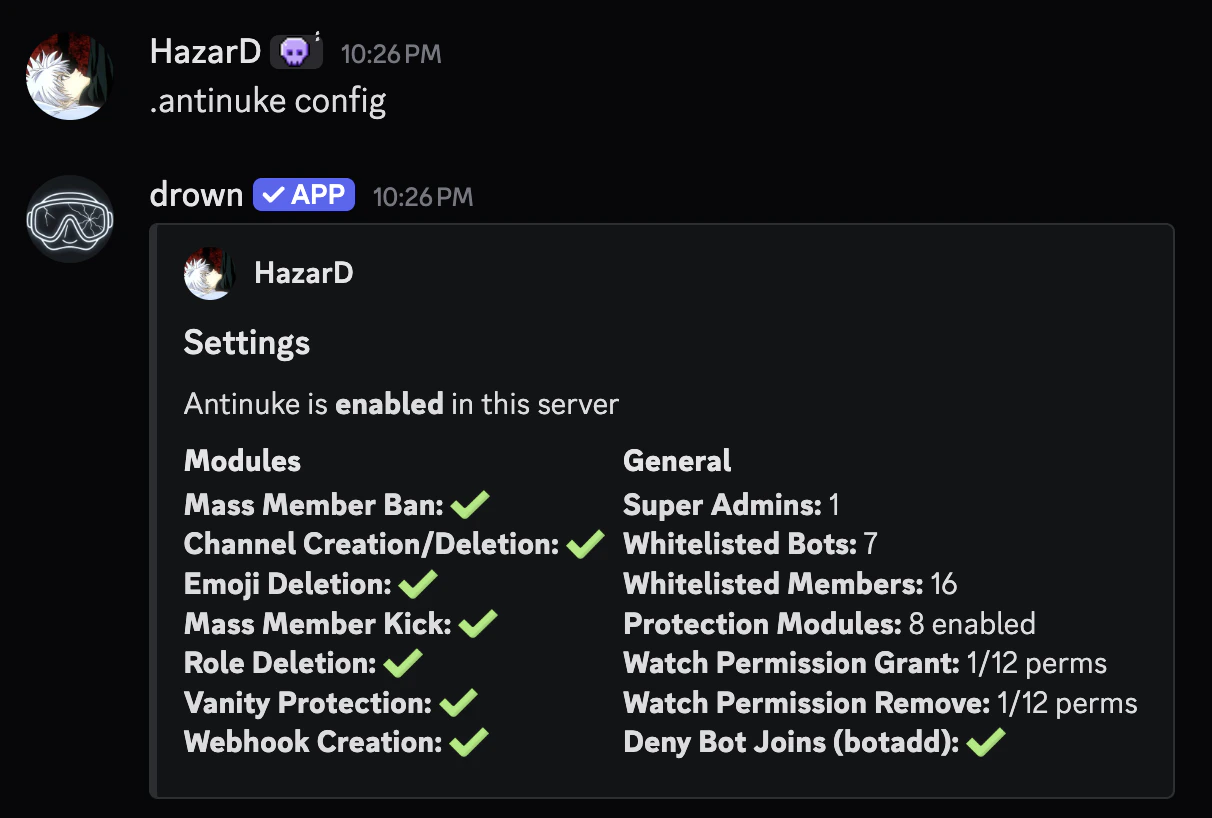
You can use the `antinuke config` command to view the current antinuke configuration.
### Viewing the antinuke configuration
You can use the `antinuke config` command to view the current antinuke configuration.
 ### Enabling and disabling the antinuke system
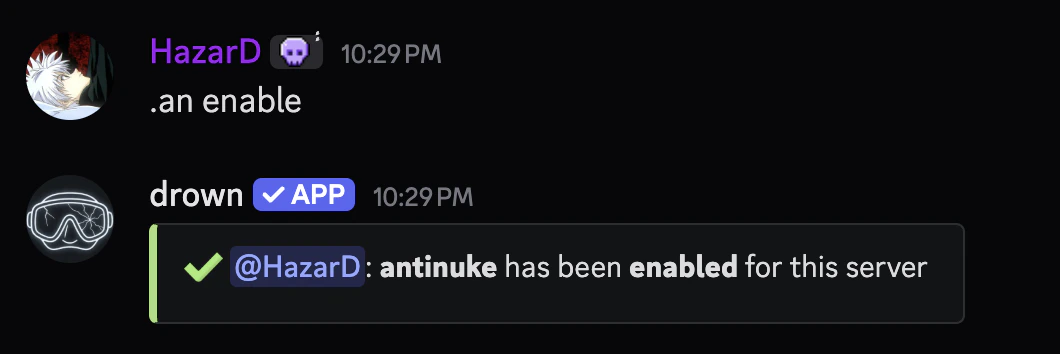
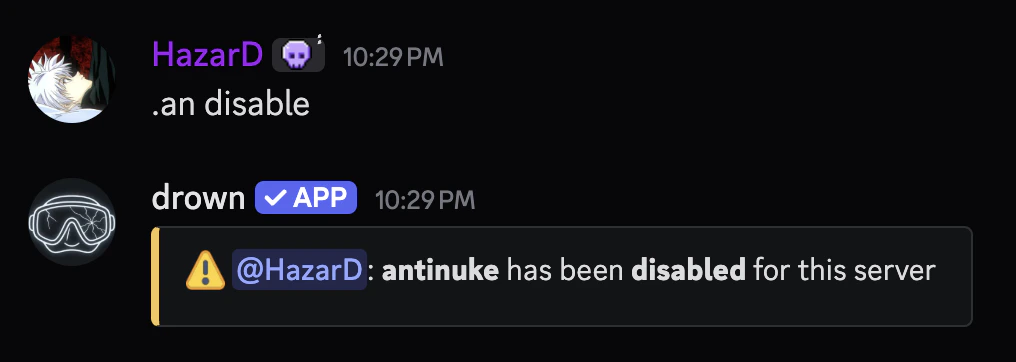
You can enable or disable the antinuke system using `antinuke enable` or `antinuke disable`.
### Enabling and disabling the antinuke system
You can enable or disable the antinuke system using `antinuke enable` or `antinuke disable`.
 ### Protection Role
The protection role feature creates a role called **drown protection** with `administrator` permissions and assigns it to the bot as a backup permission layer. This ensures the bot always retains its permissions even if someone attempts to strip them.
**Do not delete the `drown protection` role manually.** The bot will automatically recreate and reassign it. The role is defended autonomously — if it is deleted, has its permissions removed, or is taken away from the bot, it will be immediately restored.
You can enable or disable the protection role using the `antinuke protectionrole` command (alias: `protrole`).
```typescript Syntax theme={null}
.antinuke protectionrole (on or off)
```
```typescript Example theme={null}
.antinuke protectionrole on
```
When enabling, the bot will prompt you to confirm before creating the role. On approval, it will:
* Create the **drown protection** role with `administrator` permissions
* Assign the role to itself
* Position the role just below its highest role in the hierarchy
To disable, the bot will remove the role entirely and stop defending it.
The protection role panel is also accessible from the interactive `antinuke` config panel via the **Protection Role** button.
### Viewing the modules & whitelist
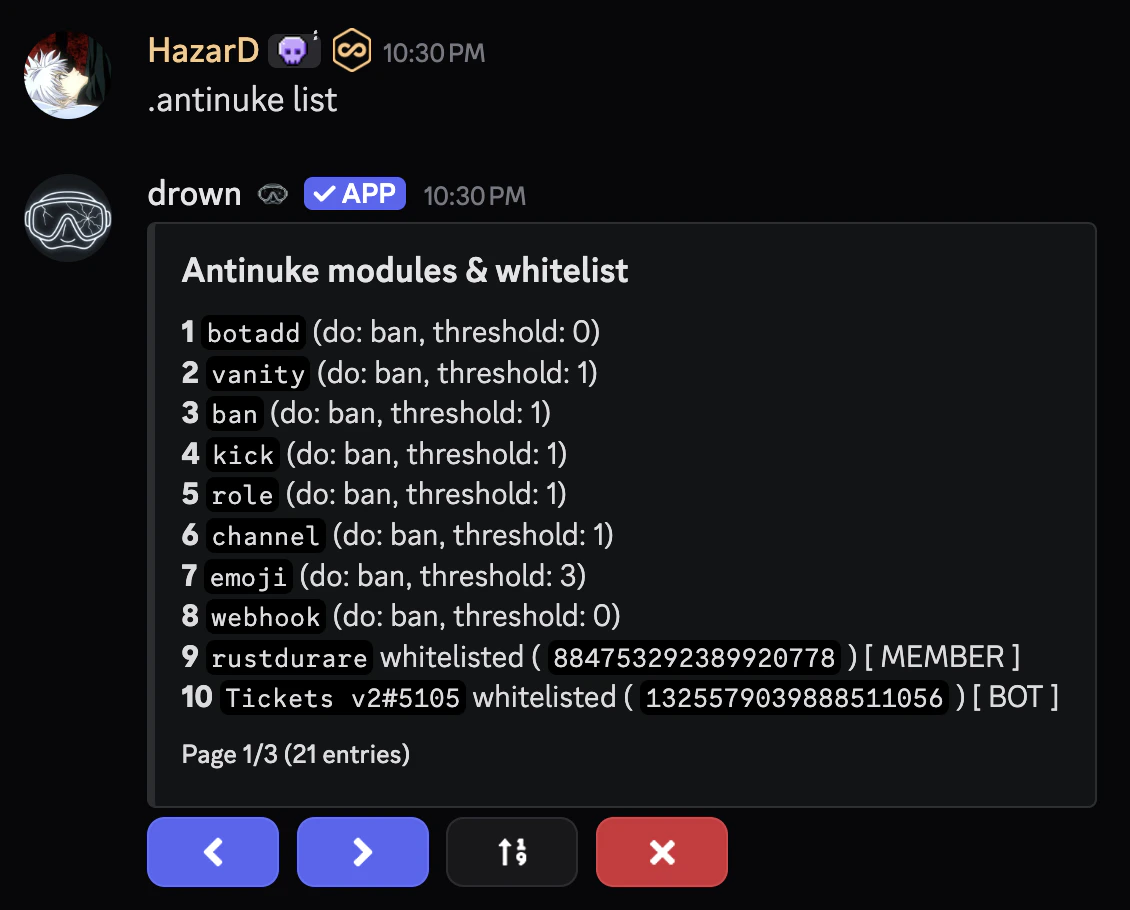
You can use the `antinuke list` command to view the enabled modules and whitelisted users.
### Protection Role
The protection role feature creates a role called **drown protection** with `administrator` permissions and assigns it to the bot as a backup permission layer. This ensures the bot always retains its permissions even if someone attempts to strip them.
**Do not delete the `drown protection` role manually.** The bot will automatically recreate and reassign it. The role is defended autonomously — if it is deleted, has its permissions removed, or is taken away from the bot, it will be immediately restored.
You can enable or disable the protection role using the `antinuke protectionrole` command (alias: `protrole`).
```typescript Syntax theme={null}
.antinuke protectionrole (on or off)
```
```typescript Example theme={null}
.antinuke protectionrole on
```
When enabling, the bot will prompt you to confirm before creating the role. On approval, it will:
* Create the **drown protection** role with `administrator` permissions
* Assign the role to itself
* Position the role just below its highest role in the hierarchy
To disable, the bot will remove the role entirely and stop defending it.
The protection role panel is also accessible from the interactive `antinuke` config panel via the **Protection Role** button.
### Viewing the modules & whitelist
You can use the `antinuke list` command to view the enabled modules and whitelisted users.
 ### Viewing users with antinuke admin
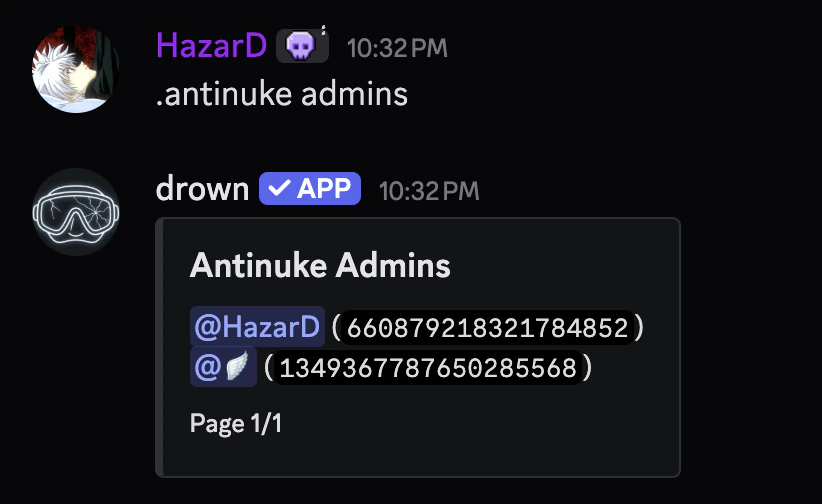
You can use the `antinuke admins` command to view users which can configure the antinuke.
### Viewing users with antinuke admin
You can use the `antinuke admins` command to view users which can configure the antinuke.
 ### Permissions available for `antinuke permissions (grant or remove)`
##### **Antinuke Permissions**
* `administrator`
* `ban_members`
* `mention_everyone`
* `kick_members`
* `moderate_members`
* `manage_guild`
* `manage_channels`
* `manage_roles`
* `view_audit_log`
* `manage_webhooks`
* `manage_expressions`
* `manage_nicknames`
### Permissions available for `antinuke permissions (grant or remove)`
##### **Antinuke Permissions**
* `administrator`
* `ban_members`
* `mention_everyone`
* `kick_members`
* `moderate_members`
* `manage_guild`
* `manage_channels`
* `manage_roles`
* `view_audit_log`
* `manage_webhooks`
* `manage_expressions`
* `manage_nicknames`