> ## Documentation Index
> Fetch the complete documentation index at: https://docs.p2w.lol/llms.txt
> Use this file to discover all available pages before exploring further.
# Join gate
> Prevent automated accounts from joining your server.
## Configuring the antiraid system
### Preventing mass joins
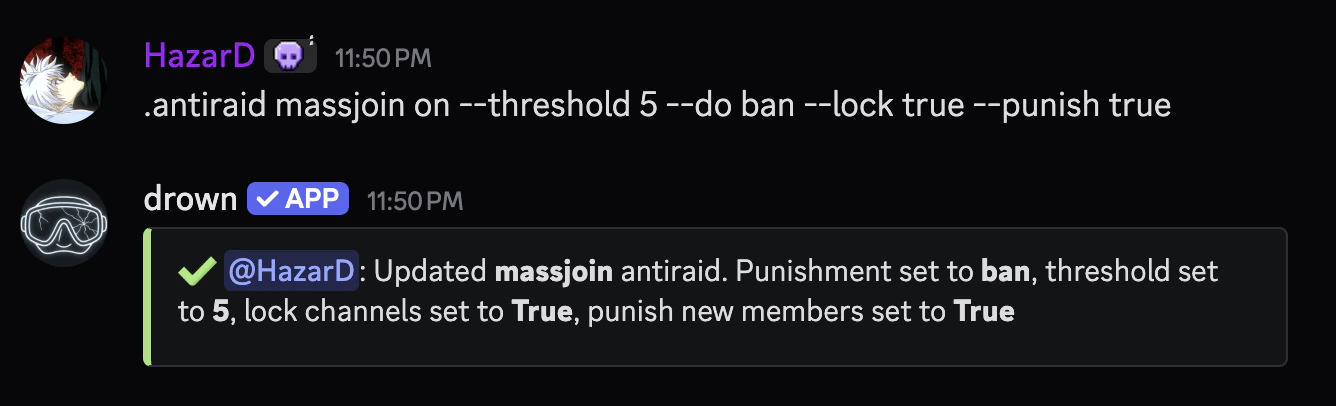
This module will trigger when the number of accounts joining the server exceeds the threshold within a short time frame.
Whenever the threshold is reached, the server will be placed in a raid state. This will temporarily disable intensive events which bleed dispatches, such as **welcome** and **goodbye** messages.
```typescript Syntax theme={null}
.antiraid massjoin (on or off) [--threshold (number)] [--do (action)] [--lock (true | false)] [--punish (true | false)]
```
```typescript Example theme={null}
.antiraid massjoin on --threshold 5 --do ban --lock true --punish true
```
The threshold is the number of accounts that can join the server within the time frame.
It's recommended to keep the threshold between `5` and `10` to stay safe.
```typescript Syntax theme={null}
--threshold (number)
```
```typescript Example theme={null}
--threshold 5
```
The action which will be taken when the threshold is reached.
Available actions are `ban` and `kick`.
```typescript Syntax theme={null}
--do (action)
```
```typescript Example theme={null}
--do ban
```
Whether to lock all channels when the threshold is reached.
```typescript Syntax theme={null}
--lock (true | false)
```
```typescript Example theme={null}
--lock true
```
Whether to punish new accounts that join the server.
```typescript Syntax theme={null}
--punish (true | false)
```
```typescript Example theme={null}
--punish true
```
 ### Requiring an avatar
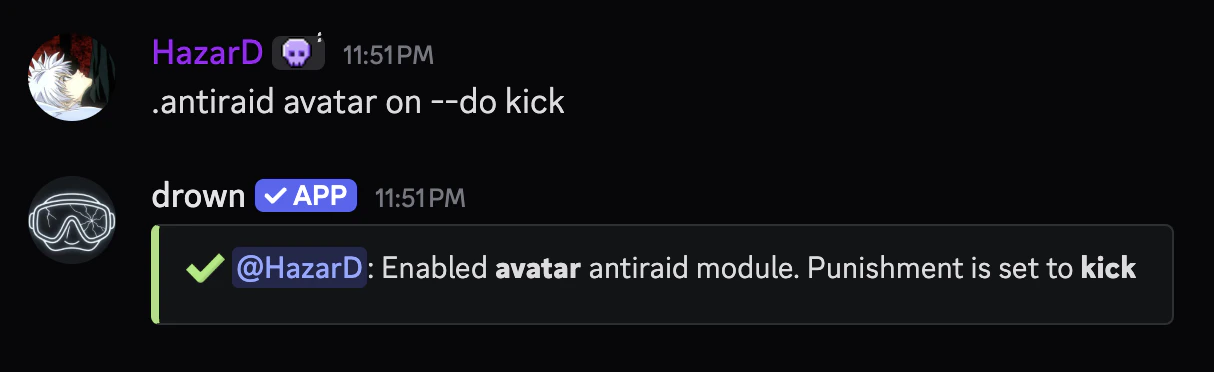
This module will trigger when an account joins the server without an avatar.
```typescript Syntax theme={null}
.antiraid avatar (on or off) [--do (action)]
```
```typescript Example theme={null}
.antiraid avatar on --do kick
```
The action which will be taken when the threshold is reached.
Available actions are `ban` and `kick`.
```typescript Syntax theme={null}
--do (action)
```
```typescript Example theme={null}
--do ban
```
### Requiring an avatar
This module will trigger when an account joins the server without an avatar.
```typescript Syntax theme={null}
.antiraid avatar (on or off) [--do (action)]
```
```typescript Example theme={null}
.antiraid avatar on --do kick
```
The action which will be taken when the threshold is reached.
Available actions are `ban` and `kick`.
```typescript Syntax theme={null}
--do (action)
```
```typescript Example theme={null}
--do ban
```
 ### Setting a minimum account age
This module will trigger when an account joins the server that is younger than the specified age.
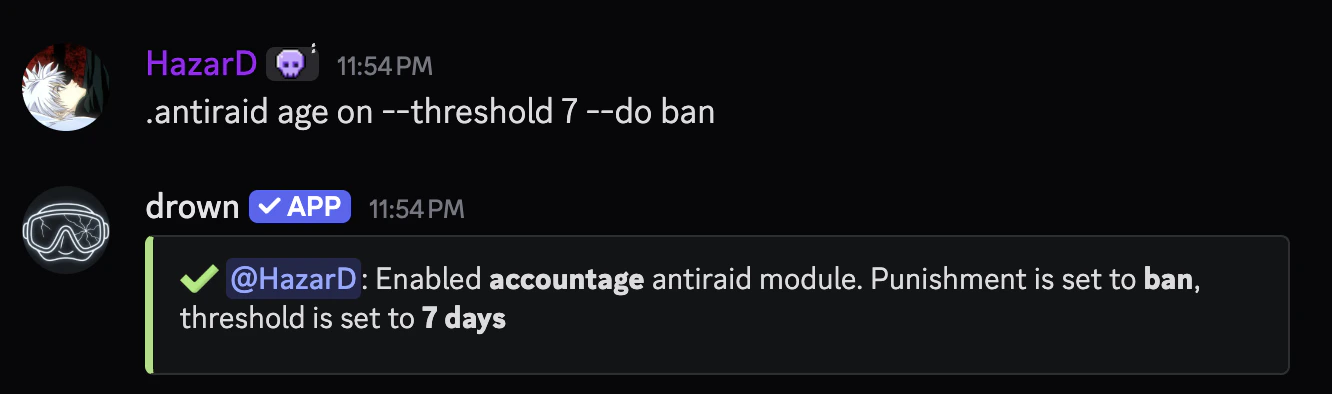
The `threshold` flag is the numbers of days for an account to be considered old enough.
```typescript Syntax theme={null}
.antiraid age (on or off) [--threshold (number)] [--do (action)]
```
```typescript Example theme={null}
.antiraid age on --threshold 7 --do ban
```
The threshold is the number of accounts that can join the server within the time frame.
It's recommended to keep the threshold between `5` and `10` to stay safe.
```typescript Syntax theme={null}
--threshold (number)
```
```typescript Example theme={null}
--threshold 5
```
The action which will be taken when the threshold is reached.
Available actions are `ban` and `kick`.
```typescript Syntax theme={null}
--do (action)
```
```typescript Example theme={null}
--do ban
```
### Setting a minimum account age
This module will trigger when an account joins the server that is younger than the specified age.
The `threshold` flag is the numbers of days for an account to be considered old enough.
```typescript Syntax theme={null}
.antiraid age (on or off) [--threshold (number)] [--do (action)]
```
```typescript Example theme={null}
.antiraid age on --threshold 7 --do ban
```
The threshold is the number of accounts that can join the server within the time frame.
It's recommended to keep the threshold between `5` and `10` to stay safe.
```typescript Syntax theme={null}
--threshold (number)
```
```typescript Example theme={null}
--threshold 5
```
The action which will be taken when the threshold is reached.
Available actions are `ban` and `kick`.
```typescript Syntax theme={null}
--do (action)
```
```typescript Example theme={null}
--do ban
```
 ### Exempting accounts from the antiraid
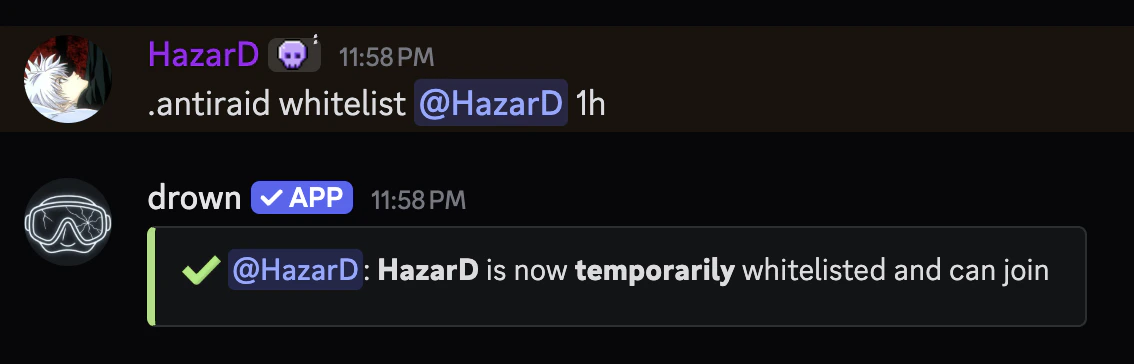
You can exempt accounts from the antiraid with the `antiraid whitelist` command.
You can use the `antiraid whitelist view` command to view all whitelisted accounts.
```typescript Syntax theme={null}
.antiraid whitelist (user) (duration)
```
```typescript Example theme={null}
.antiraid whitelist @h.azard 1h
```
### Exempting accounts from the antiraid
You can exempt accounts from the antiraid with the `antiraid whitelist` command.
You can use the `antiraid whitelist view` command to view all whitelisted accounts.
```typescript Syntax theme={null}
.antiraid whitelist (user) (duration)
```
```typescript Example theme={null}
.antiraid whitelist @h.azard 1h
```
 ### Viewing the antiraid configuration
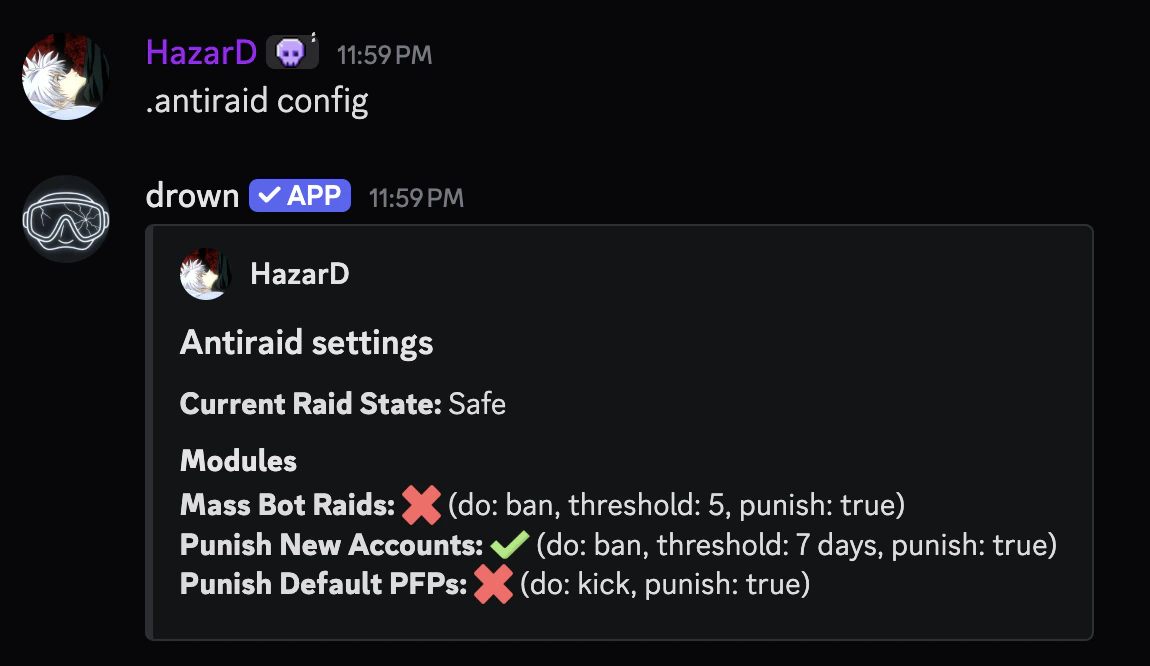
You can use the `antiraid config` command to view the current antiraid configuration.
### Viewing the antiraid configuration
You can use the `antiraid config` command to view the current antiraid configuration.
 ### What to do after a raid
After a raid, it’s recommended to clean up the server by removing all the accounts that joined during the raid, you can do this with the `recentban` and `raid` commands.
The `duration` parameter must use the proper format, you can learn more here.
```typescript Syntax theme={null}
.recentban (amount)
.raid (duration) (kick or ban)
```
```typescript Example theme={null}
.recentban 50 // Bans the last 50 accounts that joined the server
.raid 2h ban // Bans all accounts that joined the server in the last 2 hours
```
After the raid is over, you can disable the raid state with the `antiraid state` command, this will re-enable events, unlock channels, and allow accounts to join the server.
### What to do after a raid
After a raid, it’s recommended to clean up the server by removing all the accounts that joined during the raid, you can do this with the `recentban` and `raid` commands.
The `duration` parameter must use the proper format, you can learn more here.
```typescript Syntax theme={null}
.recentban (amount)
.raid (duration) (kick or ban)
```
```typescript Example theme={null}
.recentban 50 // Bans the last 50 accounts that joined the server
.raid 2h ban // Bans all accounts that joined the server in the last 2 hours
```
After the raid is over, you can disable the raid state with the `antiraid state` command, this will re-enable events, unlock channels, and allow accounts to join the server.