> ## Documentation Index
> Fetch the complete documentation index at: https://docs.p2w.lol/llms.txt
> Use this file to discover all available pages before exploring further.
# System Messages
Automatically send messages when certain member events occur.
## Commands
There are three system message commands, each with the same subcommands.
* `welcome` - Dispatched whenever a user joins the server.
* `goodbye` - Dispatched whenever a user leaves the server.
* `boost` - Dispatched whenever a user boosts the server.
The following examples use the `welcome` command, but the same syntax is applied for the other system message commands.
### Creating a system message
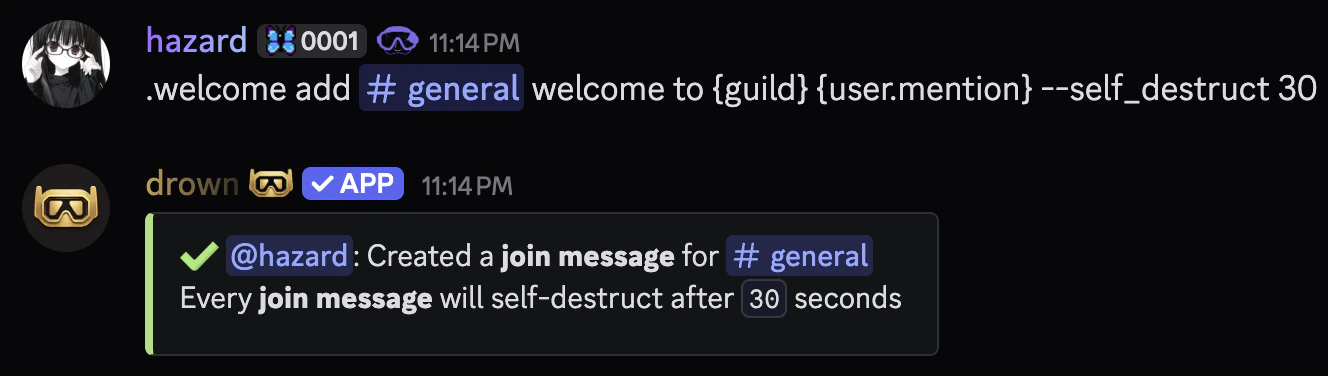
You can create a system message with the `welcome add` command.
The `message` parameter can be raw text or an **embed** with dynamic **variables**.
The `--self_destruct` flag in system messages schedules the message for deletion after a specified time, which must be between `6` and `60` seconds.
```typescript Syntax theme={null}
.welcome add (channel) (message) [--self_destruct [6-60]]
```
```typescript Example theme={null}
.welcome add #general welcome to {guild} {user.mention} --self_destruct 30
.welcome add #general {embed}$v{message: {user.mention}}$v{description: welcome to {guild.name}}
```
 ### Removing a system message
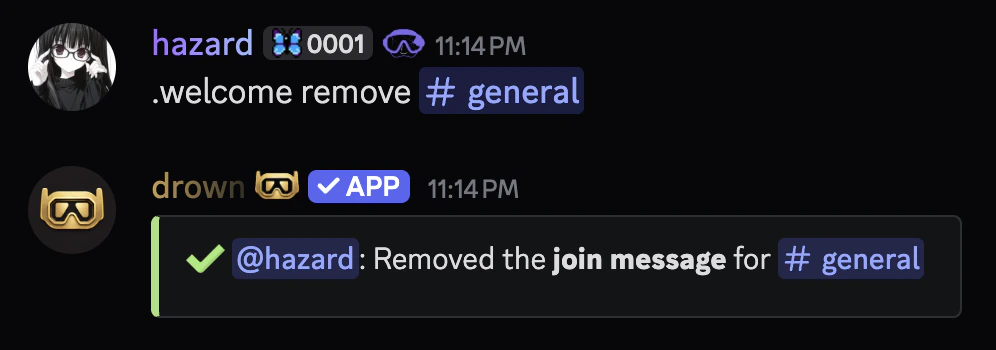
You can remove a system message with the `welcome remove` command.
```typescript Syntax theme={null}
.welcome remove
```
```typescript Example theme={null}
.welcome remove #general
```
### Removing a system message
You can remove a system message with the `welcome remove` command.
```typescript Syntax theme={null}
.welcome remove
```
```typescript Example theme={null}
.welcome remove #general
```
 ### Related commands
You can use the `welcome view` command to view a system message.
```typescript Syntax theme={null}
.welcome view (channel)
```
```typescript Example theme={null}
.welcome view #general
```
You can use the `welcome list` command to view all system messages.
### Related commands
You can use the `welcome view` command to view a system message.
```typescript Syntax theme={null}
.welcome view (channel)
```
```typescript Example theme={null}
.welcome view #general
```
You can use the `welcome list` command to view all system messages.